
Fast enough for daily use
Proloca is built for iPhone, with fast daily logging, Home Screen widgets, Face ID or Touch ID support, Apple-device sync options, and account-aware review close to the trading day.
Trading Journal for iPhone
Proloca is an iPhone-first trading journal. It is designed to feel native, quick, and lightweight while still supporting account-aware capital, goals, risk, and equity review.
Proloca is built for iPhone, with fast daily logging, Home Screen widgets, Face ID or Touch ID support, Apple-device sync options, and account-aware review close to the trading day.
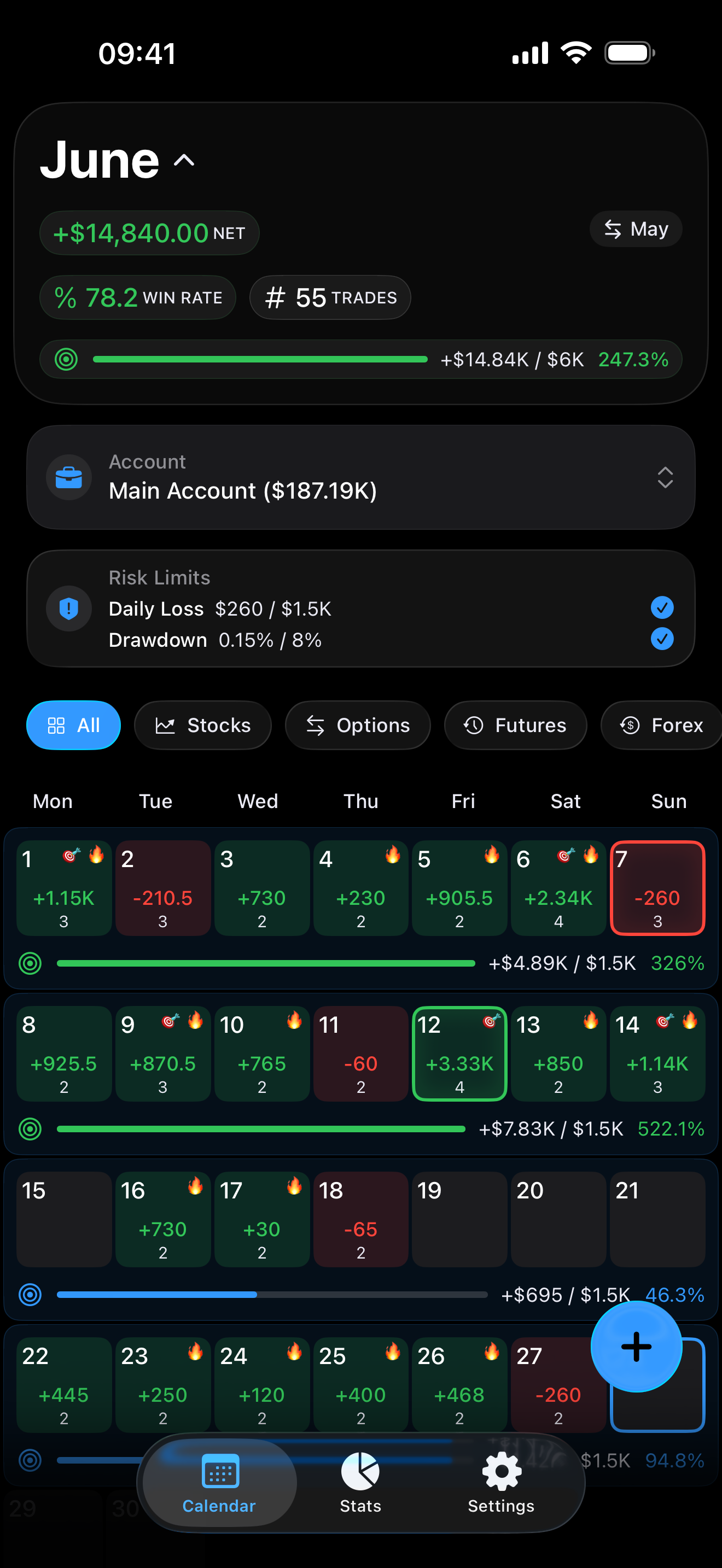
Trading Accounts, Profit Goals, Risk Limits, Equity Curve modes, highlights, and widgets make review feel native to the phone instead of like spreadsheet maintenance.
Your journal should stay under your control. Proloca avoids an account wall, keeps CSV export available, preserves account data, and treats privacy as part of the workflow.
Product proof
Calendar views, filters, Trading Accounts, All Accounts, Profit Goals, Risk Limits, psychology notes, CSV workflows, and Equity Curve review keep the page intent connected to the product itself.
FAQ
It should be quick to update, easy to review, and close enough to daily routines that traders keep using it.
Yes. Proloca includes Home Screen widgets that keep progress visible between app sessions.
Yes. Proloca is built for iPhone and designed for fast daily trading review.
Yes. Proloca supports Trading Accounts for separate capital pools, plus an All Accounts view for aggregate active-account review.
Yes. Proloca supports weekly and monthly Profit Goals plus Daily Loss and Maximum Drawdown Risk Limits for individual Trading Accounts.
Calculated Equity is Starting Balance plus Cash Adjustments plus recorded trading results. It keeps deposits, withdrawals, payouts, resets, and corrections separate from Trading P&L.
No. Proloca helps traders review patterns, psychology, capital, and risk. It does not promise profits or guaranteed performance.